Drag, drop, or pick
PNG, JPEG and BMP, by drag-and-drop or file picker. Unsupported files are rejected with a real message. Load several and switch between them in the sidebar.

Drop in a PNG, JPEG or BMP. Get back SVG, EPS, DXF, PDF or PNG — curve-fitted outlines in editable colour layers, with real control over palette, detail, smoothing and speck removal. It runs on your machine — in a browser tab, or as an app for macOS and Windows — so there is no upload, and no queue.
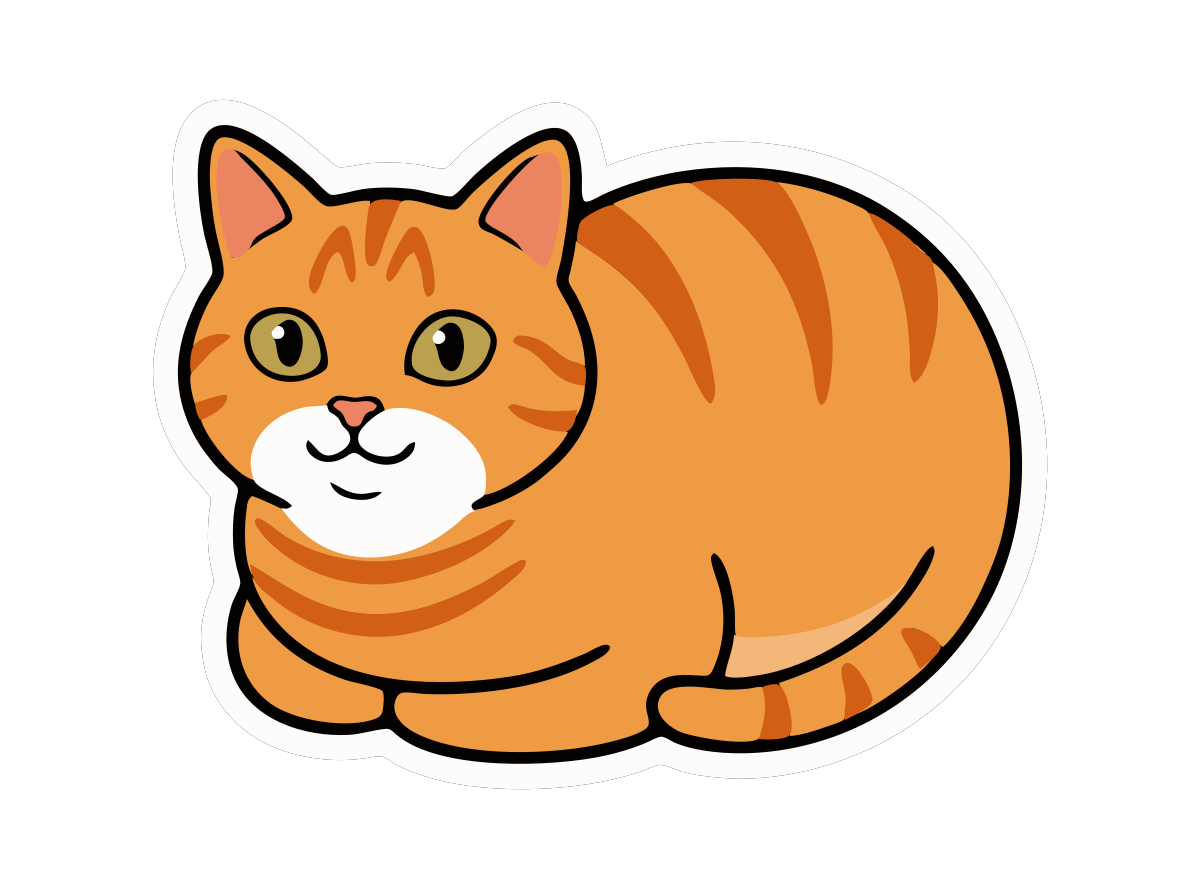
Frankie is the maintainer's cat; the mascot artwork was generated with an image model from a photo of him, then hand-corrected for coat colour and markings.
Before / after
Same cat, twice. On the left, the source PNG — real pixels, and at 16× they are all you get. On the right, the SVG GetVect traced from it: curve-fitted outlines that stay sharp at any magnification. Drag the divider, change the zoom, then drag the picture itself to go looking somewhere else.

This trace is the local engine alone. AI Enhance was off, nothing was uploaded, and no model touched the image before or after it.
That is Frankie at 8 colours with Smart anti-aliasing: a 568 KB raster in, a 17 KB SVG out, in 7 editable colour layers and 42 shapes, transparent background intact.
Flat sticker art is the easy case, and every vectorizer looks good on it — hard edges, few colours, nothing to guess at. So the numbers above are not measured on Frankie. They come from noisy logos, photographs and deliberately awkward synthetic art, on every build. If your input is messier than a sticker, that is the case being tested.
From a script, or an agent
The same engine, without the UI. Point it at a file and it writes the vector beside it.
getvect logo.png                 # -> logo.svg
getvect shot.jpg -f dxf -c 16 -p photo
getvect logo.png out.svg --stats # JSON on stdout
Every setting the app exposes is a flag. It writes nothing to stdout unless you ask, exits non-zero with one line on stderr when something is wrong, and never prompts — because the thing calling it usually cannot answer a question.
It will not overwrite an existing file. Writing to a path that is
already there exits 73 and writes nothing, so a caller that guessed at a
filename cannot destroy one it never saw. Pass --force when replacing is
what you meant.
SKILL.md is that contract written for an agent rather than a person: when to reach for it, when not to, how to pick settings for a logo versus a photo versus line art, and what to do on each exit code. The full CLI reference has every flag, range, default and failure mode.
What it does
Not a one-button converter. Every setting a real job needs is exposed, and every one of them runs on your machine.
PNG, JPEG and BMP, by drag-and-drop or file picker. Unsupported files are rejected with a real message. Load several and switch between them in the sidebar.
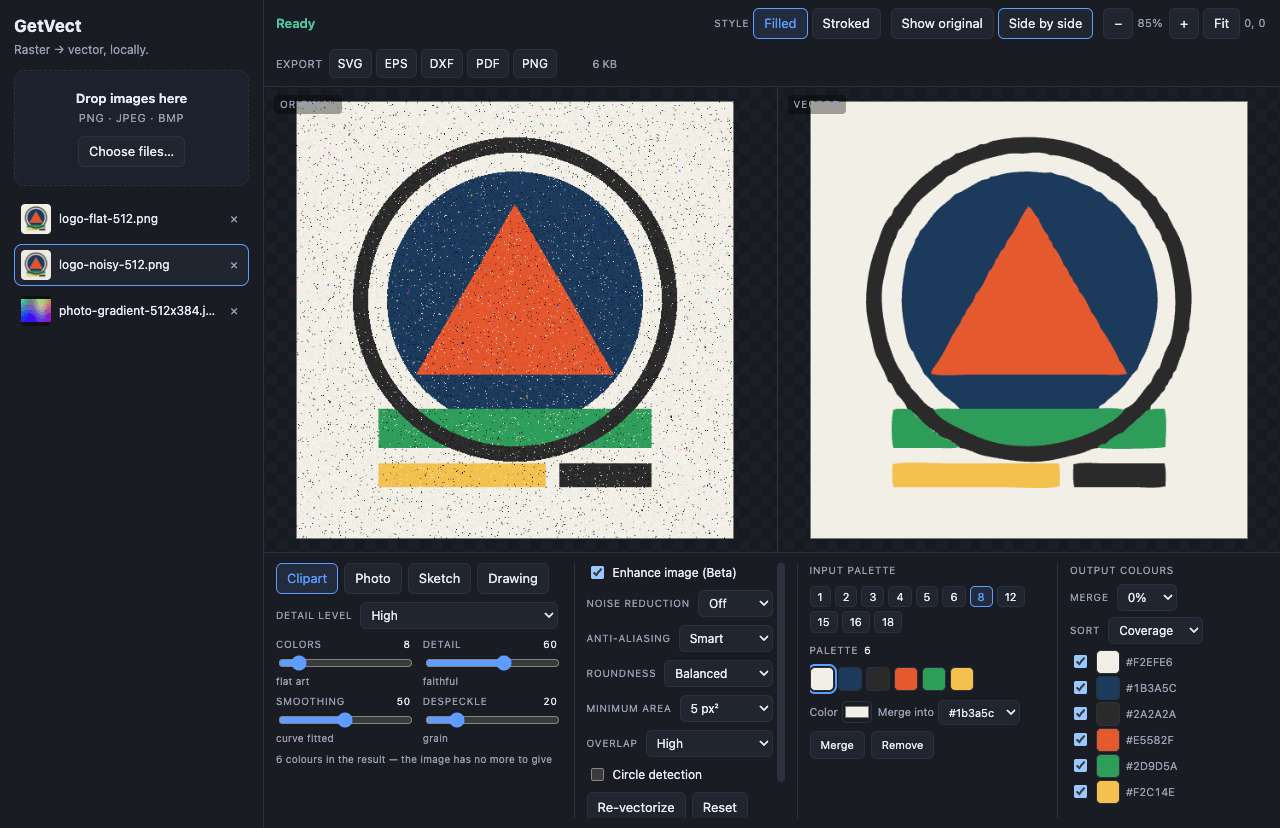
Clipart with seven detail levels, Photo, Sketch (grayscale) and Drawing (black and white with a luminance threshold). Tracing starts on load, off the UI thread, with visible progress.
Auto-generated palettes at eleven fixed sizes from 1 to 18 colours, offered as selectable rows — plus an editor that recolours a swatch, merges two, or removes one.
Every output colour group has a toggle: disable the background colour and the export comes back transparent. Merge threshold and sort order sit beside it.
Enhance (denoise and colour simplification), Noise Reduction off/low/high, and Anti-aliasing off/smart/mid. Smart is a pre-trace edge cleanup and it is worth 1747 sub-paths → 551 and 396 KB → 140 KB on the reference artwork.
Three curve-fitting levels, speck removal at 0 / 5 / 90 px², layer overlap, and circle detection. Results render as filled layers or stroked layers.
Original/vector toggle and side-by-side, with zoom and pan synchronised across both panes. What you are looking at is the SVG that gets exported, not a re-render of it.
SVG with per-colour <g fill> layers that open in Illustrator or
Inkscape as editable colour groups. DXF keeps its curves as degree-3 splines — or
flattens to R12 polylines for older cutter firmware. Plus EPS, PDF and PNG.
AI Enhance — optional, bring your own key
Soft shading and gradients are the hard case: a tracer has to guess where one colour ends, and it guesses badly. The fix is not a better filter — it is redrawing the picture flat before tracing it. AI Enhance does exactly that: background removed, shading flattened into bands, outlines redrawn at even weight. The tracer then works on art that is already clean, and the result is dramatically better than any amount of noise reduction.
GetVect can do the same step by asking an image model for it. Paste your own Google Gemini API key, switch AI Enhance on, and the enhanced image becomes the working image the engine traces. One call, about eight seconds on a 1024 px source.
With AI Enhance on, that image is uploaded to Google under your own API key and their terms — which is exactly the thing the rest of this app exists to avoid. Nothing else changes: no other image, no other feature, no telemetry, and the switch is off until you turn it on.
The key is encrypted at rest with Electron's safeStorage (Keychain on
macOS), lives only in the main process and is never returned to the UI. If the OS has
no keystore, GetVect refuses to store a key rather than writing it in the clear. If a
run fails — bad key, no network, 60 s timeout — the un-enhanced image is traced
instead and the app says why.
The fully-local version — background removal, then an on-device generative flatten, with nothing leaving the machine — is the plan of record in issue #1. The provider layer was written for it. Setup, quality tiers and the debug switch are in the docs.
Download
macOS on Apple Silicon (M1 and later) and Windows on x64. Intel Macs and Linux build from
source (npm run dist) but are untested, so they are not offered as downloads.
Open GetVect in your browser →
It still runs on your machine. The tracing happens in the
browser tab — your image is never uploaded, because there is no server to upload
it to. Do not take our word for it: open the page, turn off your wifi, and trace
an image anyway. It is served with connect-src 'none', so the browser
refuses to make a network request even if the page asked.
One difference: AI Enhance is not available in the browser
version. A browser has no OS keystore, and keeping your API key in
localStorage would be a worse trade than leaving the feature out.
Everything else — every preset, every setting, every export format, PNG
included — is the same engine the desktop app runs, because it is the same
renderer rather than a port of it.
Desktop browsers. Best on a real screen, since tracing is CPU-heavy and the output is meant to be zoomed into.
macOS: since v0.1.3 the dmg is signed with an Apple Developer ID and notarized by Apple, so it opens with no Gatekeeper warning and no right-click dance. You do not have to take that on trust — check it yourself:
spctl -a -t install -vv GetVect-0.1.3-arm64.dmg
It answers accepted / source=Notarized Developer ID, and
codesign -dvvv on the app shows Team ID
6UV93L24YL. The ticket is stapled, so the check works offline.
Windows: still unsigned. There is no Authenticode certificate, so SmartScreen says "Windows protected your PC" — choose More info, then Run anyway. The installer is per-user and never asks for administrator rights; an unsigned installer demanding admin is exactly the shape of the thing you are told not to run.
Prefer to build it yourself? brew install craigjmidwinter/tap/getvect
is a formula rather than a cask: it compiles from source on your machine, so nothing
arrives as a downloaded bundle at all. Budget a few minutes for the build.
Updates follow the signature. Because macOS builds are signed, the app can verify a new version itself, so from v0.1.4 it downloads in the background and then offers Restart — which swaps the app and reopens on the new version. Nothing installs behind your back. Windows has no certificate, so it keeps doing the honest half: a banner with a link, no install. v0.1.3 notifies on both platforms; the change arrives with the build after it, not retroactively.
It stays one check per launch either way, it sends no identifier, and
GETVECT_NO_UPDATE_CHECK=1 turns it off before any request is made.
Two network touchpoints, both in your control: optional
AI Enhance, and a once-per-launch update check against GitHub
Releases (disable with GETVECT_NO_UPDATE_CHECK=1). The check asks one
question, sends no identifier, and fails silently when you are offline. Everything
else — ingest, tracing, preview and every export — never leaves the machine.